
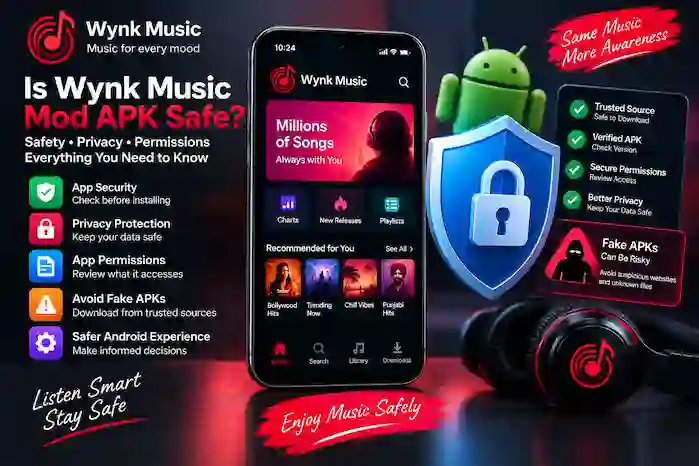
Is Wynk Music Mod APK safe? This is an important question to consider before installing any modified Android application. Unlike apps obtained through official distribution channels, a Mod APK may come from a third-party source, and its contents can vary between different files and versions.
A feature list or a claim that an APK is “100% safe” does not by itself prove that the file is secure. Users should consider the APK source, permissions, version information, device security warnings, and other factors before installation.
What Is Wynk Music Mod APK?
Wynk Music Mod APK refers to a modified version of the Wynk Music Android application. Modified builds may advertise changes such as ad-free playback, premium features, offline functionality, or other unlocked options.
The important security consideration is that a modified APK can differ from the official application. Different builds may also come from different sources, so users should not assume that every Wynk Music Mod APK file has the same security characteristics.
Is Wynk Music Mod APK Safe?
There is no universal way to declare every Wynk Music Mod APK safe because modified APK files can differ in origin and contents.
Before installing one, consider:
- Where the APK was obtained
- Whether the source provides clear version information
- What permissions the application requests
- Whether Android displays a security warning
- Whether the APK behaves as expected
- Whether the file has been modified beyond the advertised changes
- Whether a trusted security tool flags the file
A trustworthy-looking website or familiar application name is not sufficient proof that an APK file is safe.
Official Wynk Music vs Mod APK
The main difference is how the applications are distributed and maintained.
| Aspect | Official Wynk Music | Mod APK |
| Distribution | Official distribution channel | Usually third-party source |
| Application code | Official release | Modified by a third party |
| Updates | Official update process | Depends on the source |
| Security review | Subject to official platform processes | Varies by file and source |
| Permissions | Defined by the official app | Should be checked for each build |
| Support | Official support may be available | Usually limited or unavailable |
A modified APK should therefore be evaluated as a separate file rather than assumed to have the same security properties as the official application.
Fake Wynk Music APK Websites
One common concern is downloading a file from a website that only uses the Wynk Music name.
A suspicious download page may:
- Display misleading download buttons
- Redirect through multiple pages
- Offer unrelated applications
- Use excessive pop-ups
- Hide important file information
- Claim features that are not clearly explained
- Provide multiple unexplained APK files
- Ask users to install additional applications
Before downloading an APK, check the page carefully and avoid clicking unexpected advertisements or unrelated download links.
Suspicious APK Downloads
A file deserves additional caution when its source or behavior is unclear.
Warning signs can include:
- An unexplained file name
- Missing version information
- Unexpected file size
- Multiple APK variants without explanation
- Requests for unrelated permissions
- Security warnings from Android
- Installation prompts for additional software
- Claims that appear too good to be verified
If a download behaves differently from what the page describes, stop and investigate the file rather than continuing with the installation.
Wynk Music APK Permissions
Android permissions determine what an application can access on a device.
Depending on the application and its features, permissions may relate to areas such as:
- Notifications
- Storage or media
- Audio
- Network access
- Other Android functions
The important point is to consider whether a requested permission makes sense for the feature being used.
For example, an application that needs access to locally stored media for a particular function may have a reasonable explanation for requesting that access. A permission that appears unrelated should receive closer attention.
How to Check Wynk Music APK Permissions
You can review application permissions through Android’s application settings.
A general process is:
- Open Settings on your Android device.
- Go to Apps or Applications.
- Select Wynk Music.
- Open the Permissions section.
- Review the permissions currently granted.
- Disable permissions that are unnecessary and can safely be denied.
The exact menu names can differ between Android versions and device manufacturers.
Wynk Music Mod APK Privacy
Privacy is another consideration when using a modified application.
An application may interact with information such as account details, device information, usage information, or other data depending on its design and permissions.
Because a Mod APK has been modified outside the official application distribution process, users should be cautious about entering sensitive information into an untrusted build.
Avoid assuming that a modified APK follows the same privacy practices as the official application.
Configuration Profiles and Certificates
Android users may encounter unusual instructions when downloading applications from unofficial sources.
Be cautious if a website asks you to:
- Install an unrelated certificate
- Add an unknown configuration
- Change important security settings
- Install additional software before using the APK
- Disable device security protections
Such instructions are not automatically evidence of malicious behavior, but they deserve careful review because they can change how your device handles applications or data.
Browser Security When Downloading an APK
Your browser is the first point of contact with many third-party download websites.
For safer browsing:
- Use a current browser version.
- Avoid suspicious pop-ups.
- Do not click unexpected download buttons.
- Check the domain carefully.
- Avoid entering sensitive account information on unfamiliar pages.
- Do not install additional software simply because a download page requests it.
- Pay attention to browser and Android security warnings.
A browser warning should not be ignored simply because the page claims to offer a popular application.
How to Check a Wynk Music APK Before Installation
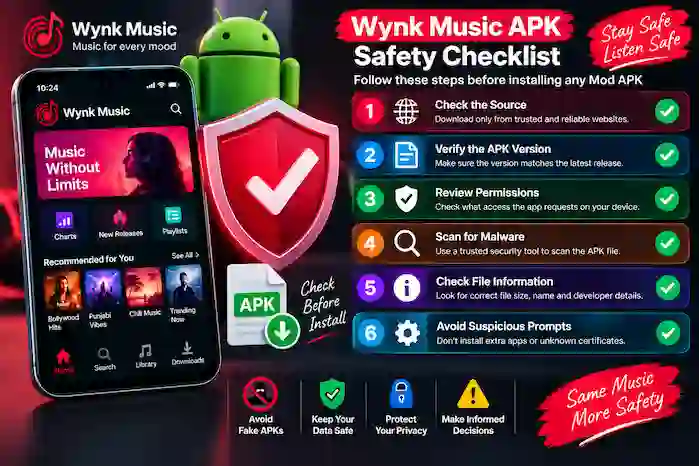
Before installing a third-party APK, review the file and its source carefully.
1. Check the Source
Make sure you understand where the file came from and whether the source provides clear information about the release.
2. Check the Version
Compare the stated version number with the information provided on the download page.
3. Check Permissions
Review the permissions requested by the application and consider whether they are relevant.
4. Check Security Warnings
Pay attention to warnings from Android or installed security software.
5. Review the File Information
Look for unexplained changes in file name, size, or version information.
6. Avoid Unnecessary Instructions
Be cautious when a download page asks you to install unrelated applications, certificates, or tools.
Common Security Risks of Modified APKs
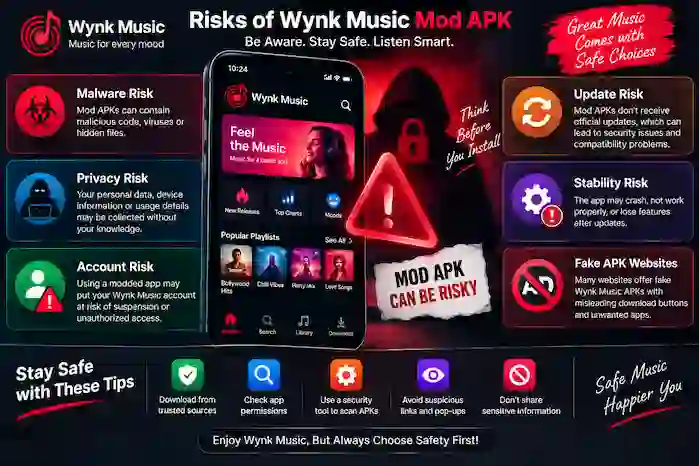
Modified APKs can introduce risks that users should understand before installation.
Malware Risk
A modified application can potentially contain unwanted or malicious code if it has been altered by an untrusted party.
Privacy Risk
An unofficial application may handle data differently from the official release. Users should therefore avoid entering sensitive information into an untrusted build.
Account Risk
Using modified applications with an account can create additional uncertainty because the application has been changed from its official form.
Update Risk
Third-party APKs may not receive updates through the normal official update process. An outdated build can also develop compatibility or security problems over time.
Stability Risk
Modified applications may crash, stop working, or behave differently after Android or application updates.
How to Reduce APK Security Risks
There is no method that can guarantee that every third-party APK is safe, but users can reduce avoidable risks by taking basic precautions.
- Download only from sources you have evaluated carefully.
- Check the exact APK version.
- Review permissions before granting access.
- Keep Android and security tools updated.
- Pay attention to security warnings.
- Avoid entering sensitive information into an untrusted application.
- Do not disable important security protections simply to install an APK.
- Remove an application if it behaves unexpectedly.
- Keep important data backed up.
What If Android Warns About Wynk Music APK?
If Android displays a security warning, do not automatically ignore it.
First determine:
- What the warning says.
- Where the APK came from.
- Whether the file matches the expected application and version.
- Whether the warning concerns the file itself or the installation method.
If you cannot determine why the warning appeared, avoiding the installation is the safer option.
Is a Wynk Music Mod APK Safer Than the Official App?
A modified APK should not automatically be considered safer than the official application.
The official and modified versions have different distribution and maintenance processes. A Mod APK’s security depends heavily on the particular file and source.
Therefore, users should evaluate the specific APK rather than assuming that the “Mod” label indicates either safety or danger by itself.
Frequently Asked Questions
Is Wynk Music Mod APK safe?
Safety cannot be guaranteed for every modified APK. Security depends on the particular file, its source, permissions, and how it has been modified.
Is Wynk Music Mod APK safe for Android?
It can vary by APK build. Users should check the source, permissions, version information, and Android security warnings before installation.
Can a Mod APK contain malware?
A modified APK can potentially contain unwanted or malicious code if it has been altered by an untrusted source.
Are Wynk Music Mod APK permissions safe?
Permissions should be reviewed individually. A permission is not automatically safe simply because the application is called Wynk Music.
How can I identify a fake Wynk Music APK?
Check the source, application name, version information, file details, permissions, and security warnings. Be especially cautious with suspicious redirects and unexplained installation instructions.
Should I disable Android security to install an APK?
Disabling important security protections solely to install an unknown APK is not recommended. If Android blocks or warns about a file, investigate the reason first.
Can I use my personal account with a Mod APK?
Using an account with a modified application can introduce additional privacy and account-related uncertainty. Users should consider this before entering account credentials.
What should I do if a Wynk Music Mod APK behaves strangely?
Stop using the application and review its permissions and source. If necessary, uninstall it and use a trusted version instead.
Conclusion
The answer to “Is Wynk Music Mod APK safe?” depends on the specific APK file and where it came from. Modified applications are not identical to official releases, and their security, privacy, permissions, and update practices can vary.
Before installing a Wynk Music Mod APK, check the source, version, permissions, file information, and Android security warnings. Avoid unsupported claims such as “100% safe” and make security decisions based on the actual file and evidence available.